



The best to-do list app for a couple depends on the job you need it to do. A shared note may be enough for a one-off packing list, and a shared calendar suits appointments. Apple Reminders and Todoist both support shared task lists; Roxily focuses on chores and routines for two people living together.
If an app you already use meets your needs, start there. Try a household app when you want recurring chores, rotation, completion history and thank-yous in the same place.
Three options to consider
| App | When it is a useful starting point | What to check |
|---|---|---|
| Apple Reminders | You already use iCloud and want a shared list with assigned tasks. | Make sure both people can access the shared list on their devices. |
| Todoist | You already use Todoist and want household tasks in a shared project. | Check that the current plan and shared-project setup fit your needs. |
| Roxily | You want household routines, rotating responsibility, completed work and thank-yous together. | Both people join the same Space. Check the free limits and Premium features before choosing. |
Apple documents shared Reminders lists and task assignment. Todoist documents sharing projects and assigning tasks to friends or family. Use those guides to check how a tool you already have handles collaboration.
Test a shared list with real chores
Use the same few tasks when trying an app: a grocery pickup, laundry and a recurring chore you want to alternate.
- Can both people add and complete the tasks?
- Is the responsible person clear?
- Can you repeat regular work without rebuilding the list?
- Can you see what is done before asking your partner?
- Does it support the phones you both use?
Run that small list for a week. Check whether both of you actually use it, not just whether the setup looks organised on day one.
When Roxily fits
Roxily is designed primarily for couples and spouses living together, and also works for two roommates. You can use iOS and Android in the same shared household.
Choose task owners, set schedules and reminders, and use rotation when you want to alternate. Home shows the current list, Calendar shows scheduled and completed tasks, and Journey helps you review contributions. A heart, message or meme lets you thank the other person after a task is finished.
Set up a shared list in Roxily
- Join the same Space so both of you can add and update Activities.
- Add specific tasks, such as “collect the grocery order” instead of “help with shopping.”
- Choose a responsible person together and agree on what finishing the task includes.
- Add a date or schedule when it matters, and allow phone notifications for reminders.
- Mark the task complete. The other person can see it without a separate status message.
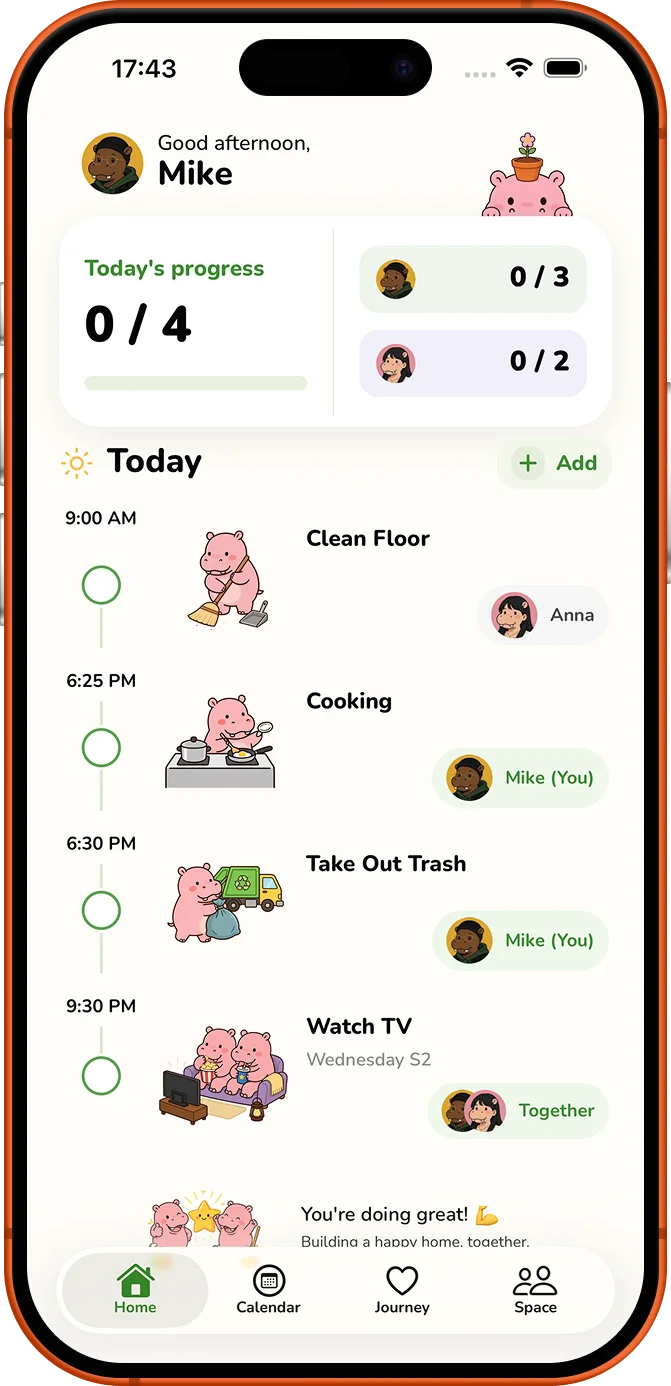
Start with the few tasks you already coordinate, and check the list together after a week before adding more.
You can start free. Premium includes unlimited Activities and automatic scheduling, with one subscription covering both people. Check current plan details in the app.
To focus on housework, start with dividing chores as a couple.
Download Roxily on the App Store · Get Roxily on Google Play